
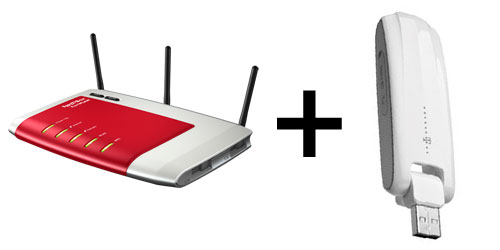
Since FritzBox laboratory firmware version xx.05.07-21008 it should actually be possible to use the Huawei E398 LTE USB stick – sold by Telekom as the Speedstick LTE – with a FritzBox as the internet connection. This can be useful as a backup if the DSL line fails, or even as a permanent alternative. Unfortunately, after one of the more recent laboratory firmware updates my E398 suddenly stopped connecting.
The following changes to the FritzBox settings got it working again:
1. Connect the Speedstick LTE to the FritzBox and wait until it appears under “Home Network > USB Devices”.
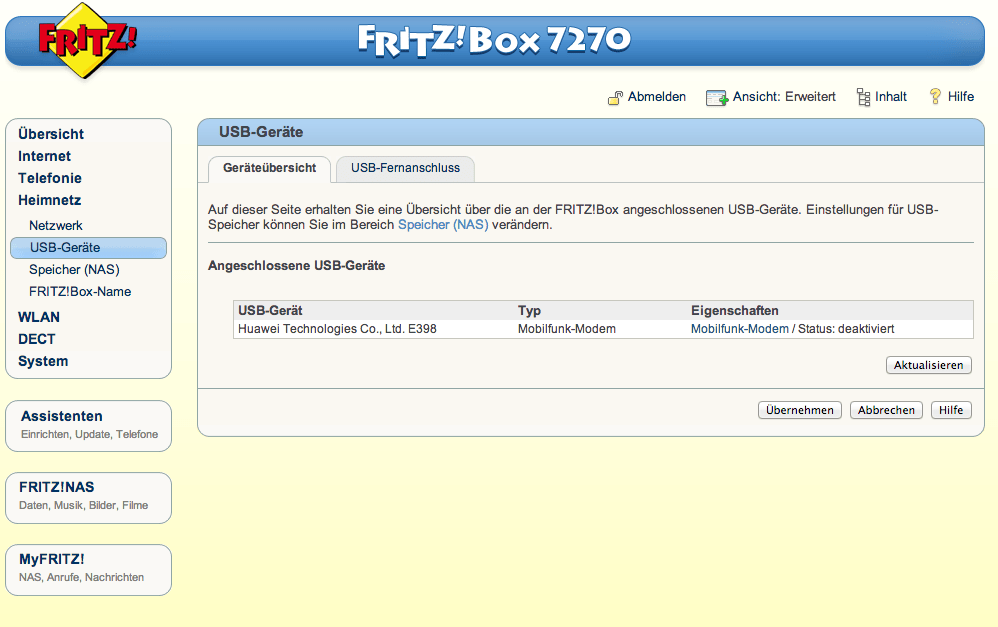
2. Under “Internet > Mobile Communications”, make sure the following settings are used:
– Enable “Allow roaming onto other networks”. If you live near a national border and can also receive mobile networks from the neighbouring country, however, be careful with this setting!
– Under internet access, change the mobile network operator to “Other operator”. The access point must be “internet.telekom”, the dial-in number “*99#”, the username “t-mobile” and the password “tm”.
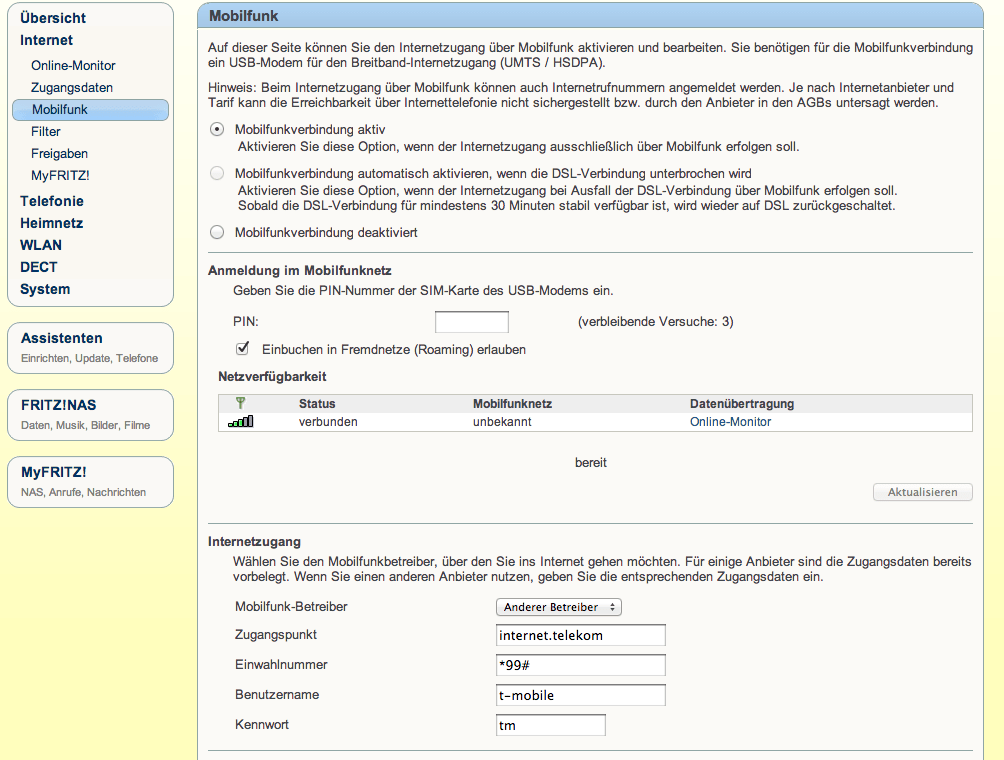
The connection to the Telekom network should now work again.
Anyone expecting full LTE speed will unfortunately be disappointed. According to speedtest.net, the E398 connected to the FritzBox 7270 achieves a data throughput of only just under 8 Mbit/s, compared with around 25 Mbit/s when I use the stick directly on a computer at the same location.

If you also want to make VoIP calls over the mobile connection, make sure your Telekom contract permits this function. If it does, VoIP works surprisingly well.
You may also want to disable compression. This can be done at speed.t-mobile.de (accessible only from the T-Mobile network). Even then, not everything seems to work as it does when the LTE stick is connected directly to a computer. With the configuration described above, for example, some services did not work reliably for me.






Hi, erst mal großen Dank für deinen hilfreichen Artikel.
Ich habe das ganze in der hier beschriebenen Konstellation eingerichtet, da grenznahes und DSL-schwaches Gebiet.
Nach der Konfig im Fritz-Menü “Mobilfunk” und Bestätigen auf “übernehmen”, lassen sich anschließend jedoch nicht mehr die Einstellungen über “Mobilfunk” aufrufen. Hier bekomme ich eine leere Seite mit den Buttons “Abbrechen”, “übernehmen” und “hilfe”. Internet habe ich, das funktioniert. Einziges Bedenken, dass es auch tatsächlich nicht zu einem Einbuchen in Fremdnetze kommt (Option hatte ich natürlich nicht aktiviert).
Hast du da Erfahrungen, insbesondere bzgl. der fehlenden Einstellungsmöglichkeiten, bei aktivem Stick?
Ich glaube mich sogar zu erinnern, dass ich beim Einrichten ein ähnliches, vielleicht sogar das gleiche Problem hatte.
Probier es mal mit einem vollständigen Reset der FritzBox. Also ein Rücksetzen auf die Werkseinstellungen und setze die FritzBox danach neu auf.
Würde mich freuen, wenn Du hier nochmal Feedback posten könntest.
VG aus München
Michael
hi,
use a usb hub with power e.g. http://sklepwideo.pl/hub_usb_y-2143 , speed will increase
with power usb http://www.speedtest.net/my-result/3716842520
not use http://www.speedtest.net/my-result/3716844487
szymek
I can’t believe that a USB will help to increase the speed.
But thanks for the hint. I will try it, when I can and report my results here.